A crawler that reads a site's whole sitemap and checks each page for the SEO,
metadata and structured-data problems that single-URL graders cannot see.
npx @nurkamol/seo-audit https://example.com
Nothing to install. Node 18 or newer, and no dependencies at all. Or run it straight
from the repository, pinned to a major version:
npx github:nurkamol/seo-audit@v1 — same tool, though that one clones 16 MB
of app sources and tests to get at a 115 kB crawler.
Why it exists
It was written after three commercial graders all called a client's homepage healthy
while the language switcher on every translated article linked to a 404 — a bug none
of them could see, because it was only wrong on pages they never opened.
Ninety-odd checks
Indexability, canonicals, headings, structured data, hreflang, images, links,
sitemaps, redirects and the certificate.
No false positives
A check that cries wolf gets the whole report ignored. Anything sometimes
legitimate is a note, never an error.
Performance is never estimated
A fetch loop cannot see rendering. --psi asks Google for Google's
own measurement instead of guessing.
What it looks like
Nothing here is a mock-up. The app is a real window, the report is a real report, the PDF
came out of the app's export, and the numbers are a real crawl of a real site.
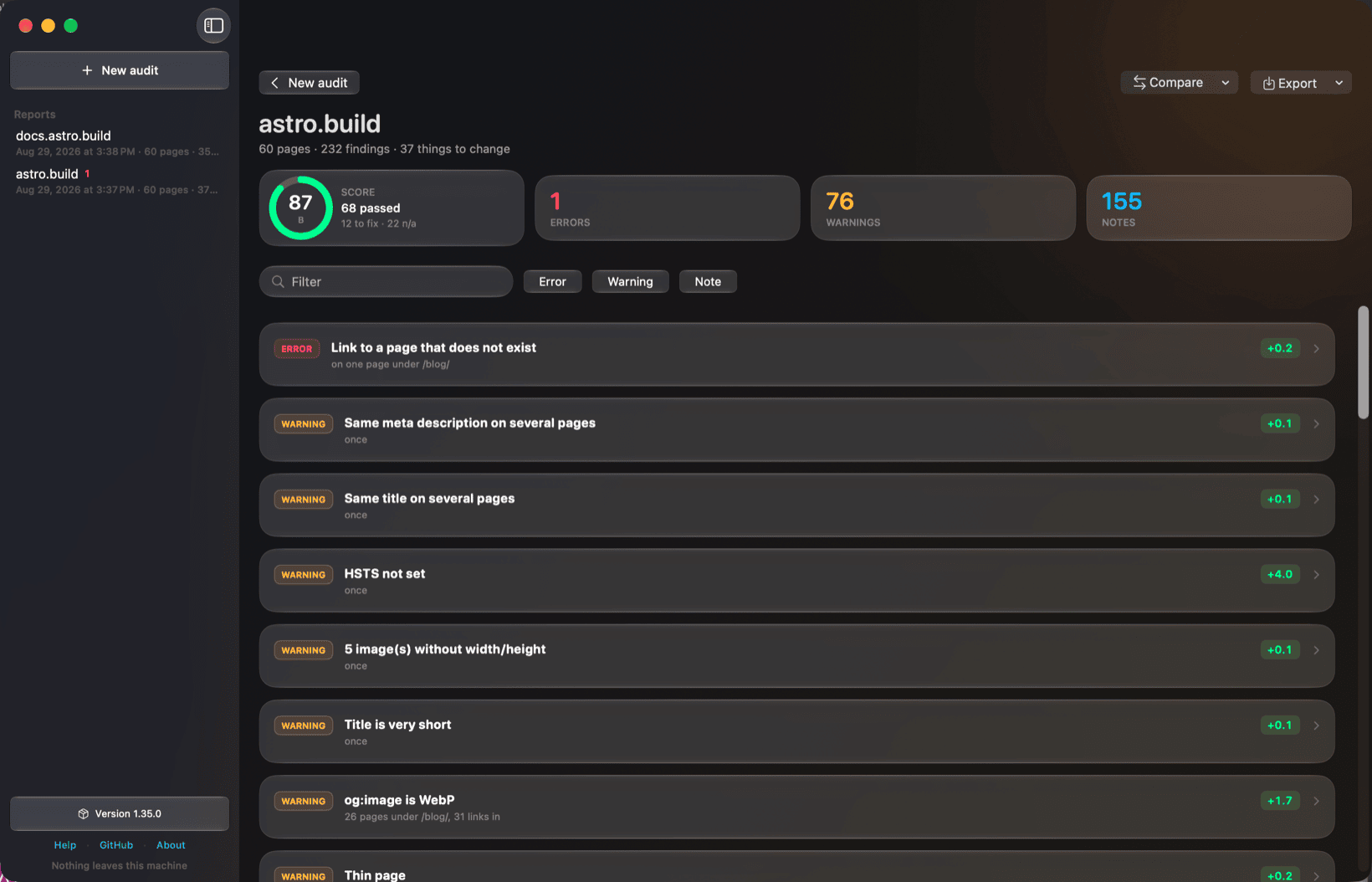
A real run against astro.build. 232 findings are 37 things to change, worst first, scored
87 — and the one error at the top is a link to a page that does not exist, which is the
bug this tool was written to catch.
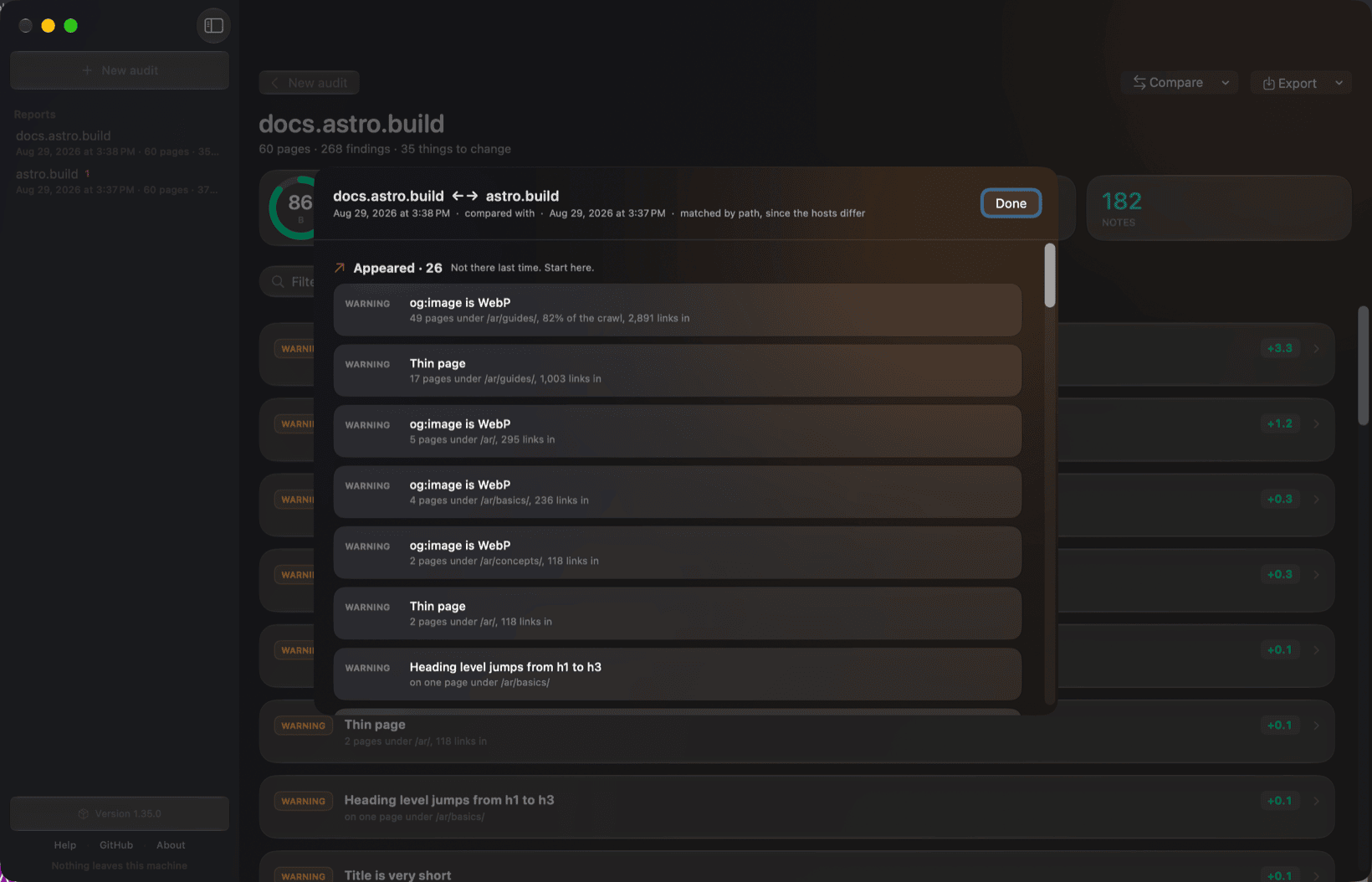
Compare two runs — a site against itself last week, or one property against another.
Findings that appeared come first, because those are the ones somebody just introduced.
Different hosts are matched by path.
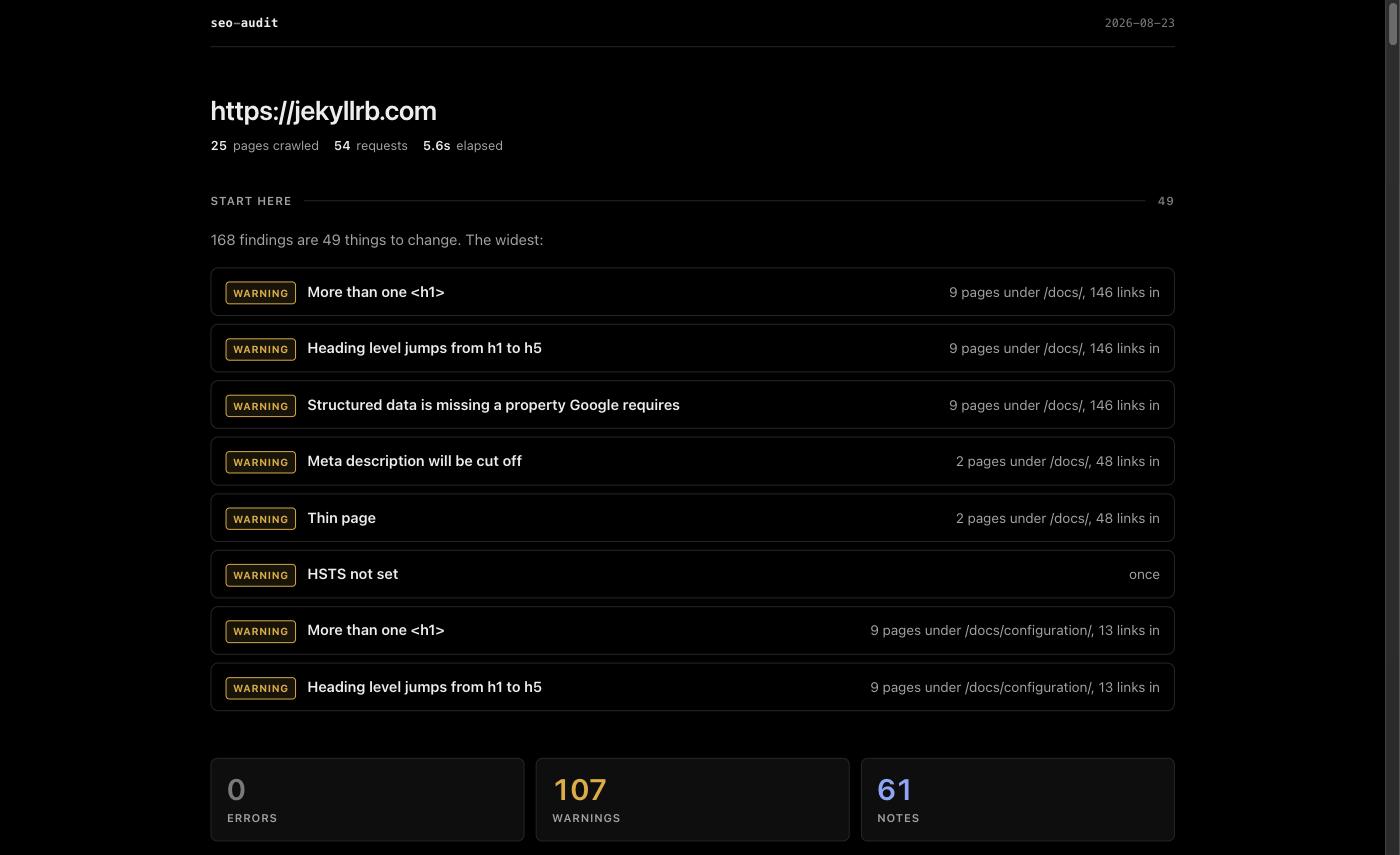
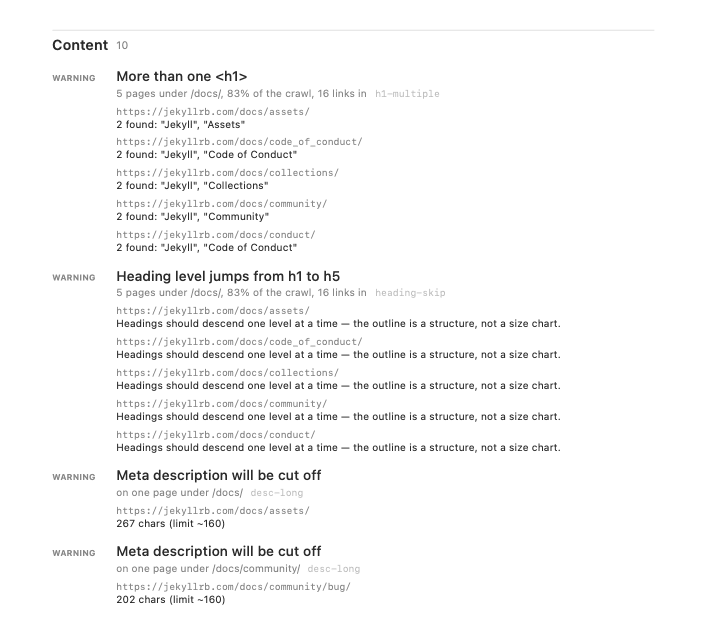
The HTML report opens with the work, not the findings.Exported as PDF, with every affected page.
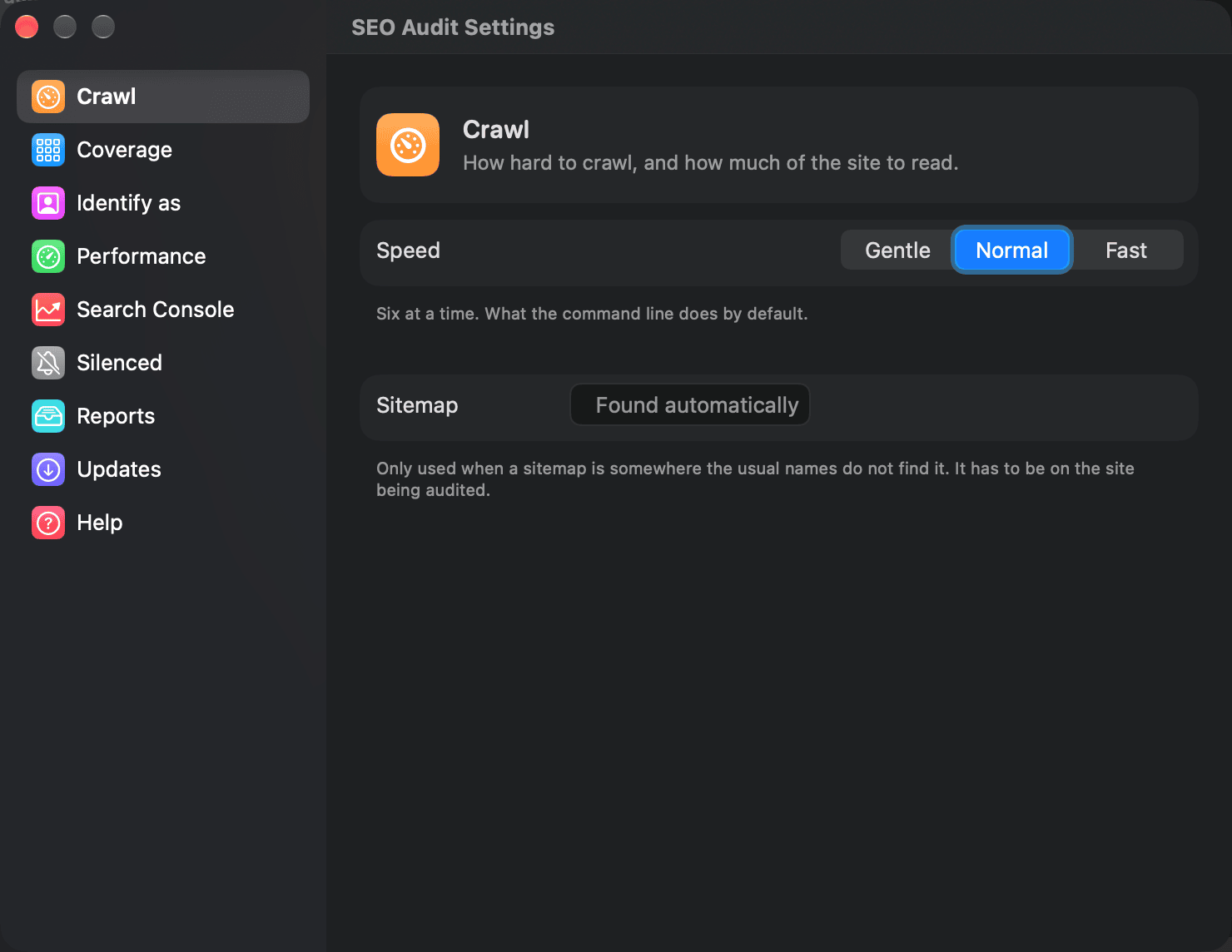
Settings: nine panes, laid out the way macOS lays out System Settings. Gentle is one
connection at a time — the setting that gets through a site answering 429. Anything left at
its default is not sent, so the engine's defaults stay in the engine.
It tells you what to change, not what it found
A real store produced 2,081 findings across 347 URLs. That is not 2,081 problems — it
is one product template repeated 194 times. Every report opens with the work, ordered
worst first and then by how much of the site points at it.
✗  No <h1>                              10 pages under /pages/
✗  Structured data is not valid JSON     3 pages under /collections/
!  Heading level jumps from h1 to h3    225 pages under /products/, 69% of the crawl
!  Title may be truncated in results    162 pages under /products/
Four ways to run it
Where
How
Terminal
npx @nurkamol/seo-audit https://example.com Reports as terminal output, Markdown, HTML, JSON or CSV.
npm i -g @nurkamol/seo-audit if you would rather type
seo-audit.
CI
uses: nurkamol/seo-audit@v1 Fails a build on regressions only, and comments on the pull request.
A window
brew install --cask seo-audit SEO Audit — a native report, no limits, nothing leaves the machine.
Your own Cloudflare
A password-protected form on your own Workers account, for people who
will not open a terminal. What it costs.
The desktop app
For anyone who would rather not open a terminal. Type a domain, press return, and read
the report as cause cards that expand into the pages they affect — filtering, search,
and export as PDF, HTML, Markdown, CSV or JSON. Every finished run is kept, so a
seven-minute crawl survives closing the window. A window over the same engine, never a
second one: the checks are the ones the command line runs, so the reports match.
macOS
Native SwiftUI and Liquid Glass, with the report drawn by the app itself.
Apple Silicon, macOS 26 or later.
It checks the download against a checksum written by the build that produced it, clears
the quarantine flag, and the app opens the first time. Or build it yourself —
./mac/build.sh, which needs swiftc and the command line tools and nothing
else.
If it will not open
Neither build is signed with a paid certificate — an Apple Developer account and a
Windows code-signing certificate are per-year costs this project does not carry — so
both systems will warn about a downloaded copy. Nothing is wrong with the file, but
check it before you wave the warning away: every release prints the macOS
checksum in its notes.
macOS says "damaged and can't be opened"
It is not damaged — macOS refuses quarantined apps that carry no notarisation
ticket. Verify the download against the checksum in the release notes, then clear
the flag. No sudo: the app is yours, in a directory you can write to.
Windows says "Windows protected your PC"
SmartScreen, on an unsigned installer. Check the file against
SHA256SUMS.txt below, then More info → Run anyway. The
.AppImage on Linux needs chmod +x before it will run.
First, check what you downloaded. Every release attaches a SHA256SUMS.txt
covering all four files — save it into the same folder and run this. It works for the
.deb, the .AppImage and the setup.exe too;
--ignore-missing is there because you downloaded one of the four, not all
of them.
shasum -a 256 --ignore-missing -c SHA256SUMS.txt
Then, on macOS and once it matches, clear the flag:
Clearing the flag is exactly what right-click → Open does in the Finder, without
the dialog. Do it because the checksum matched — the same command on a file you have not
checked is how people get hurt. Homebrew does the checking for you, which is why it is
the route above.